Blue Patch on Mobile Screen: Causes, Fixes, and When to Repair It
Introduction
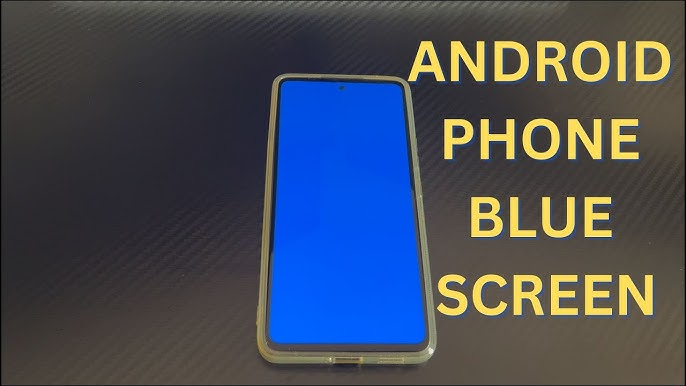
A blue patch on a mobile screen usually points to one of two things: a display setting or software-related color issue, or physical screen damage. The difference matters. If the entire display looks tinted, settings like Night Shift, color correction, or color inversion may be involved. But if the blue area is localized in one corner or one spot, especially after a drop or pressure, that is more often consistent with display damage such as pixel bleeding or panel failure. This is based on Apple, Android, Google Pixel, and Samsung support guidance about screen color settings, tint issues, and bleeding pixels.
What Does a Blue Patch on a Phone Screen Mean?
A blue patch is not the same as a full-screen color tint. A full-screen tint can sometimes come from software or accessibility settings. Apple says Night Shift changes display color temperature, while Android accessibility settings can apply color correction or color inversion across the display. Google also notes that Pixel users should check updates and troubleshoot screen appearance issues when colors look wrong.
A single blue patch or blotch, however, is more concerning. Samsung says physical screen damage may appear not only as cracks, but also as ink spots or bleeding pixels. That makes a blue or purple patch in one area of the screen more likely to be hardware-related than a simple settings issue.
Common Causes of a Blue Patch on Mobile Screen
Physical Impact or Pressure Damage
The most common cause is physical damage to the display layer. Even if the outer glass is not badly cracked, internal screen components can still be damaged. Samsung’s support materials specifically say screen damage may show up as bleeding pixels or ink-like spots.
Display Tint or Color Settings
If the entire screen looks cooler, warmer, inverted, or off-color, the issue may be settings-based instead of hardware-based. Apple’s Night Shift can change screen warmth, and Android accessibility settings such as Color correction and Color inversion can noticeably alter how colors appear.
Low-Brightness OLED Behavior
Samsung also notes that in low-brightness situations, some Galaxy phones may show discoloration or stains in dark areas, including slight tinting, and says this can be normal behavior rather than a defect in some cases.
Software or Firmware Problems
Google’s Pixel support says that if the screen flickers, shows tint, or displays lines, users should first check for a system update. That means some display-color issues can be improved through software fixes, even though localized patches are still more likely to be hardware-related.
How to Fix a Blue Patch on a Mobile Screen
Check Display Settings First
Start with the easiest fixes. On iPhone, check Night Shift and related display color settings. On Android, check Color correction, Color inversion, and dark-theme-related options. If the screen looks normal again after turning those off, the problem was likely software or settings-based.
Update the Phone
Google recommends installing the latest system update if your phone has tint, lines, or flickering display issues. This is a good next step before assuming the hardware is permanently damaged.
Test Brightness Conditions
If the patch is most visible only at very low brightness, especially on certain OLED phones, compare the display at higher brightness levels. Samsung says some low-brightness discoloration can be normal.
Get the Screen Repaired If the Patch Is Localized or Growing
If the blue patch stays in one spot, spreads, or appeared after a drop or pressure event, repair is usually the more realistic solution. Samsung’s guidance on bleeding pixels and ink spots strongly supports that conclusion.
When You Should Worry
You should take the issue seriously if the blue patch is getting larger, blocking content, or appearing with lines, black spots, or touch problems. Those symptoms are more consistent with screen damage than with color settings. That is an inference based on Samsung’s description of bleeding pixels and Google’s troubleshooting guidance for more serious display faults.
Final Thoughts
A blue patch on a mobile screen is sometimes a settings issue, but a localized blue blotch is often a sign of hardware damage. Start by checking Night Shift, color correction, color inversion, brightness behavior, and software updates. If the patch remains in one area or keeps spreading, the safest conclusion is that the screen likely needs professional repair or replacement.